
Zero Trust Isn't Just an Enterprise Problem Anymore
Short answer
Flaws are being found and attacked faster than any small office can patch. What you control is access: know who can reach your systems, limit each person to what their work needs, and be able to prove it. That's zero trust, and a small team can run it with four habits.
If you’re the person at your office who ended up handling IT, you may have heard the term “zero trust.”
The flaws are coming faster than the fixes
Every published software flaw gets a public ID, and the federal database that tracks them has logged about 92,000 so far this year, more than twice as many as by this point in 2025. Part of that increase comes from AI tools that are now very good at finding bugs, including old ones. The PHP2Shell flaw I wrote about had been sitting in the code since 2012.
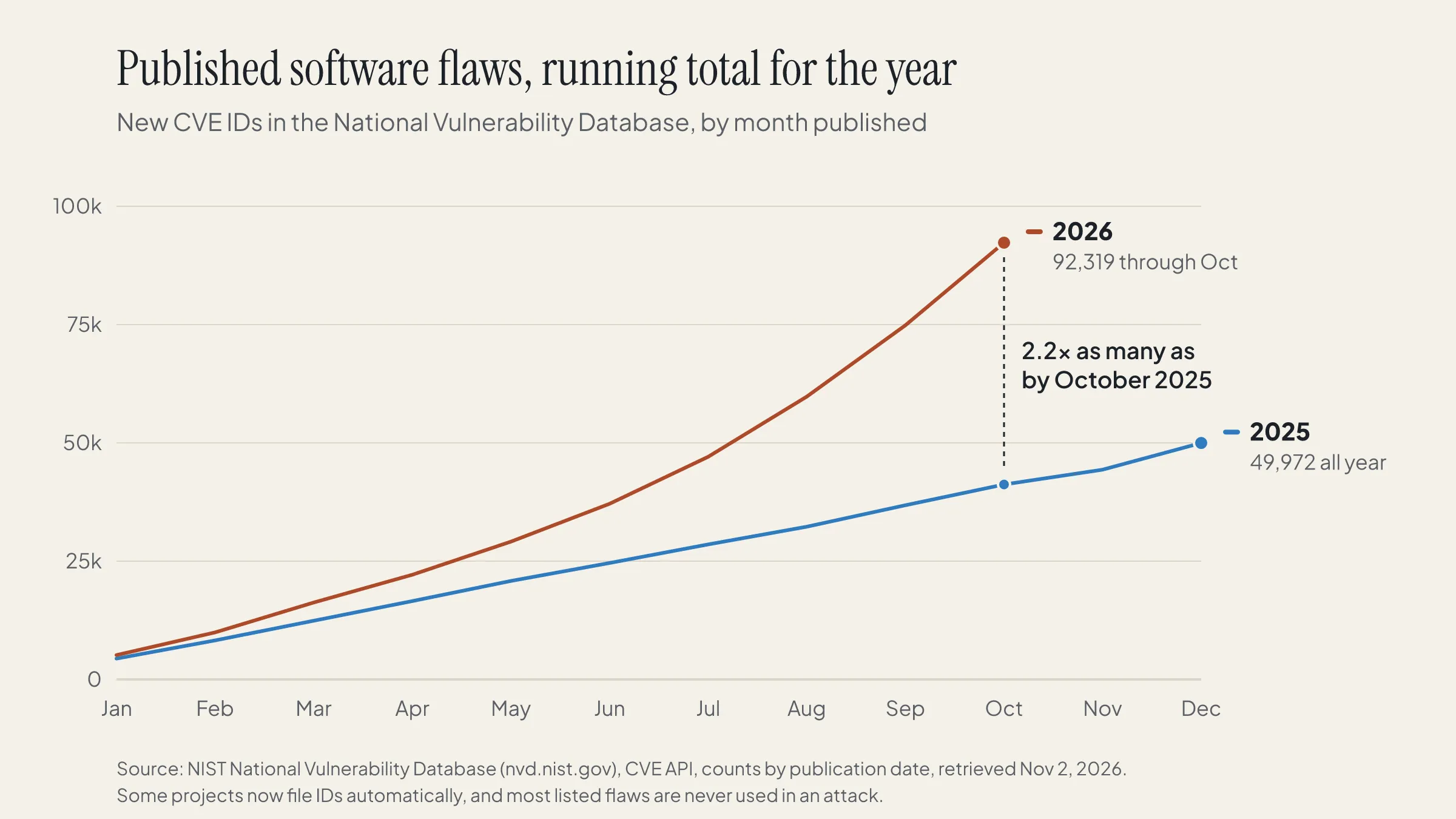
That count overstates things a little, since some projects now file IDs automatically, and most of those flaws never get used in an attack. The ones that do are getting used sooner. CISA’s list of flaws known to be exploited has already grown more this year than in all of 2025. Google’s threat intelligence team counted more exploited flaws in the first eight months of 2026 than in all of last year, and suspects attackers are using AI to read published fixes and turn them into attacks. In one case this year, six separate groups were exploiting a flaw within a week of it being made public.
Meanwhile, patching is getting slower, not faster. Verizon’s 2026 breach report found that exploiting a flaw is now the most common way attackers get in, at 31% of the breaches it studied, up from 20% the year before, and that the typical time to fully fix a known-exploited flaw grew to 43 days.
None of this needs to pick your business on purpose. Automated tools try every server and every login page they can find, whatever the size of the company behind it.
Know it, limit it, prove it
Keep patching. It’s still the fix. But when the next flaw lands isn’t yours to decide. What is yours: who can reach your systems, what each of them can touch, and whether you can show it.
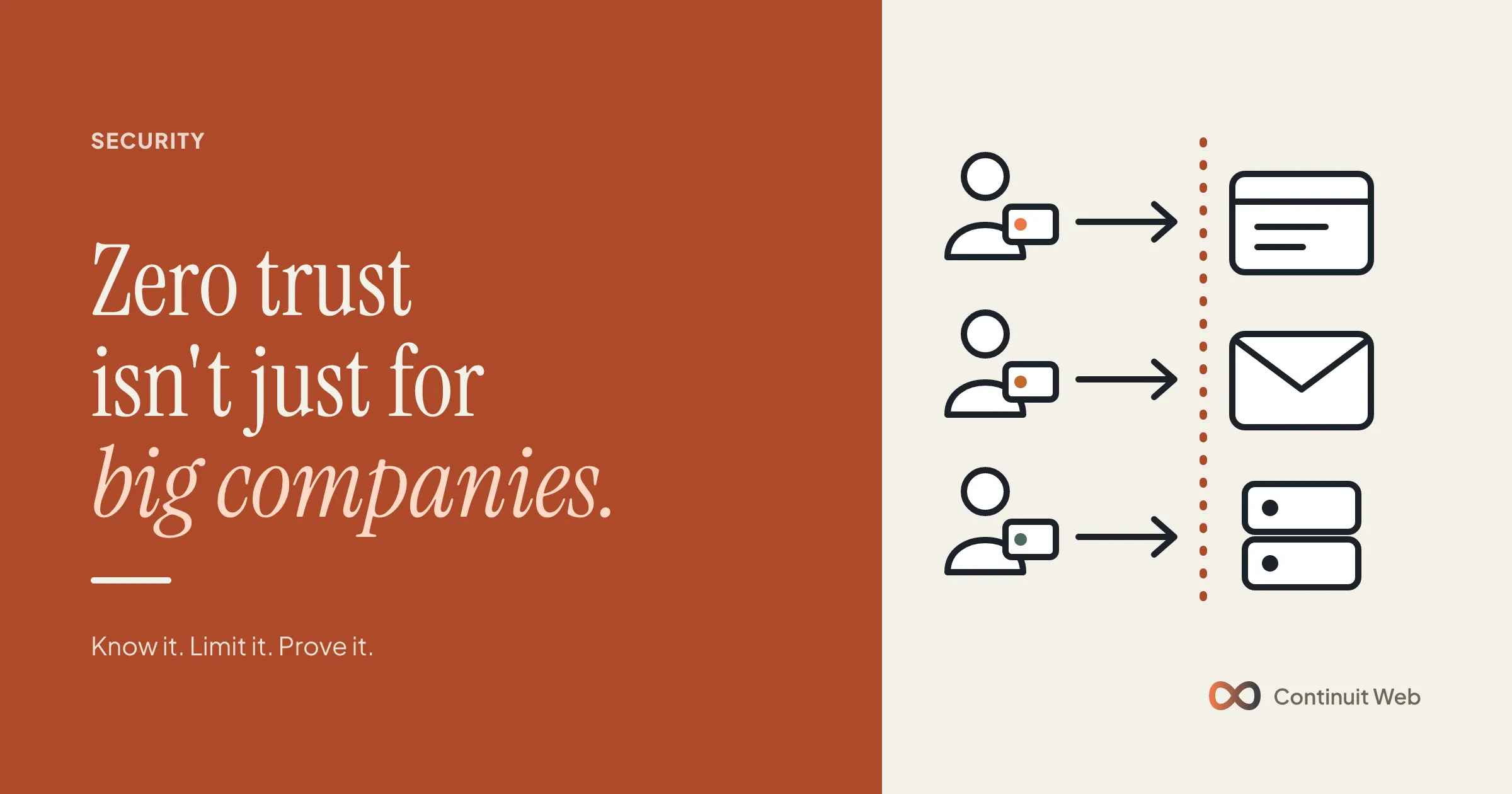
That’s what zero trust means. NIST, the federal standards agency, describes it as granting “no implicit trust” to a device or account “based solely on” where it sits. Being on the office Wi-Fi, or having logged in last Tuesday, doesn’t prove anything. Every person and device proves who it is and gets only the access it needs. Know who has access, limit it to what the work needs, and be able to prove it. A problem that starts in one laptop, login, or website stays there.
Four habits that make it real
For a small team, putting that into practice mostly means four habits.
Know it.
- One named login per person, with multi-factor sign-in. No shared accounts, so you always know who did what, and a stolen login exposes one person’s access, not everyone’s. CISA’s advice is plain: “any MFA is better than no MFA,” and passkeys or security keys are the standard to aim for. If your office runs on Google Workspace or Microsoft 365, turn on “sign in with” that account for your other tools wherever they offer it, so there’s one login per person to protect and one place to turn it off.
Limit it.
- Admin pages and customer data behind sign-in. Your website’s admin panel, back-office tools, and anything holding customer data shouldn’t be reachable by anyone on the internet who finds the address. A flaw in a page nobody can reach without logging in is a much smaller problem. The stronger version puts an identity check in front of the page itself, so only people you’ve named ever see the login screen.
- Access ends the day the work ends. When someone leaves, or a contractor’s project wraps up, their accounts close that day. Forgotten accounts are doors nobody is watching.
Prove it.
- Someone looks at who signed in. Most business software keeps a sign-in log. Check it on a schedule, so a login from somewhere unexpected gets noticed while it still matters, and so you can show who had access when a client asks. Multi-factor sign-in stops most stolen passwords, but not a session stolen from an infected laptop. The log is how you catch that.
When you switch any of this on, add the new sign-in alongside the old one, test it with a real account, then turn the old one off, so nobody gets locked out.
None of this needs a security team. It needs deciding that these are simply how your office runs.
Why this matters more as you grow
Lean teams can now take on work that used to take a much bigger company. In my experience, the ones that also run their security like a bigger company, as daily habits rather than a yearly checkup, are the ones that end up in the running for bigger clients.
At Continuit Web, security is part of how we build and run sites, including zero trust access controls, so only the right people and systems get in. Our free assessment is a five-question self-check, including whether anything is keeping your site monitored and updated. For accounts and access, talk to us.
Ready to act on this? Start with the free Modernization Assessment, or talk to the team.
More on this topic: Protect & Optimize , the Continuit Web FAQ and how we work.
Frequently asked questions
Do I need to buy a zero trust product?
Not to start. Zero trust is a way of running things, not a product. Most small offices can begin with what they already pay for: the sign-in settings in their email and office suite, the user list in each app, and the access settings in their hosting account.
If I keep everything patched, do I still need this?
Yes. Keep patching, it's still the fix. But attackers now often move within days of a fix being published, and sometimes before it exists. Zero trust is what limits the damage in the gap between a flaw being found and your systems being updated.
If I can only do one thing this week, what is it?
Turn on multi-factor sign-in for your email and your admin accounts. Email comes first because it can reset the password to almost everything else, so whoever controls your inbox can get into the rest. Use a passkey or security key where it's offered, and an authenticator app or text code where it isn't.
Sources
- NIST National Vulnerability Database (CVE counts by publication date)
- CISA: Known Exploited Vulnerabilities Catalog
- Google Threat Intelligence Group: Vulnerability Discovery and Exploitation Trends in the AI Era (September 30, 2026)
- Verizon 2026 Data Breach Investigations Report
- NIST SP 800-207: Zero Trust Architecture (August 2020)
- CISA: More than a Password (multi-factor authentication)